
What the platform does · The portal
Most portal traffic is one worry: where do I stand? The portal answers it in one card, in kind words, with the verbs right there — and everything else a tenant needs sits behind the same front door.
A recording of the real platform — the same walk the apartments page plays.
Who it is for
The same the portal, dressed for each. Every card opens that business’s page, and its demo already has it running.
Asked about the portal
What a tenant sees on their Premises portal: balance and how to pay, every invoice, the signed lease, deposits held, support tickets and gate arrivals. Read the article →
How a tenant is invited to the Premises portal — WhatsApp, email or a copied link — what the invitation contains, how long it lasts, and what to do on expiry. Read the article →
How a tenant pays from the Premises portal today — QR codes per method, the invoice number as reference, an 'I've paid' note — and how that becomes a. Read the article →
The questions are the help centre’s own article titles nearest this feature, and every answer is that article’s own summary — nothing typed twice.
Beside the portal
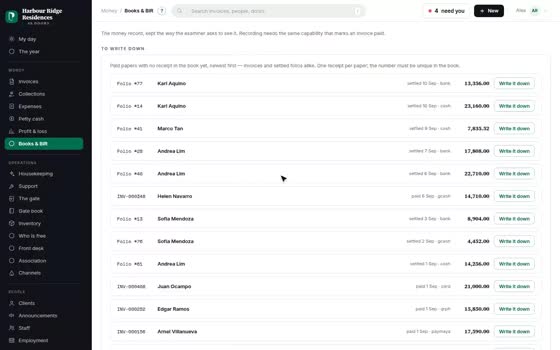
Books & BIR
BIR official receipts for rentals — the OR register & 2307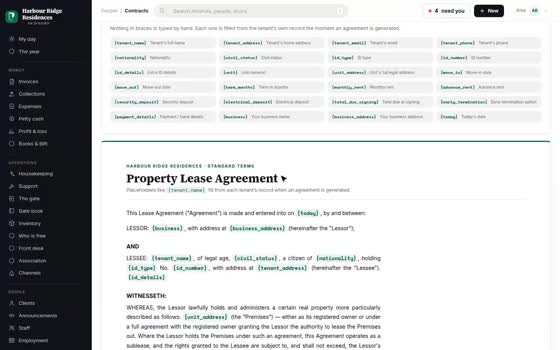
Leases
Lease e-signature — signed on a phone under RA 8792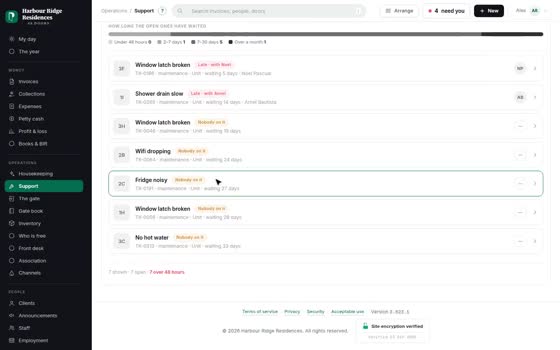
Maintenance
Maintenance tickets — evidence in, cost on the P<he portal switched on from day one with every other module — and your spreadsheet loaded for you before you log in.
Monday to Saturday, 8am – 7pm Philippine time.
Write whenever suits you — a person answers, in your hours.